

Optimizing your advertising campaigns and managing the data you collect efficiently depends on well-designed automation. In this article, we look at how to set up an advertising campaign on Odoo, integrate Make.com to automate the process, and connect tools like Discord and Brevo to make your marketing more efficient.
1. Setting up the landing page and WPForms with Make.com
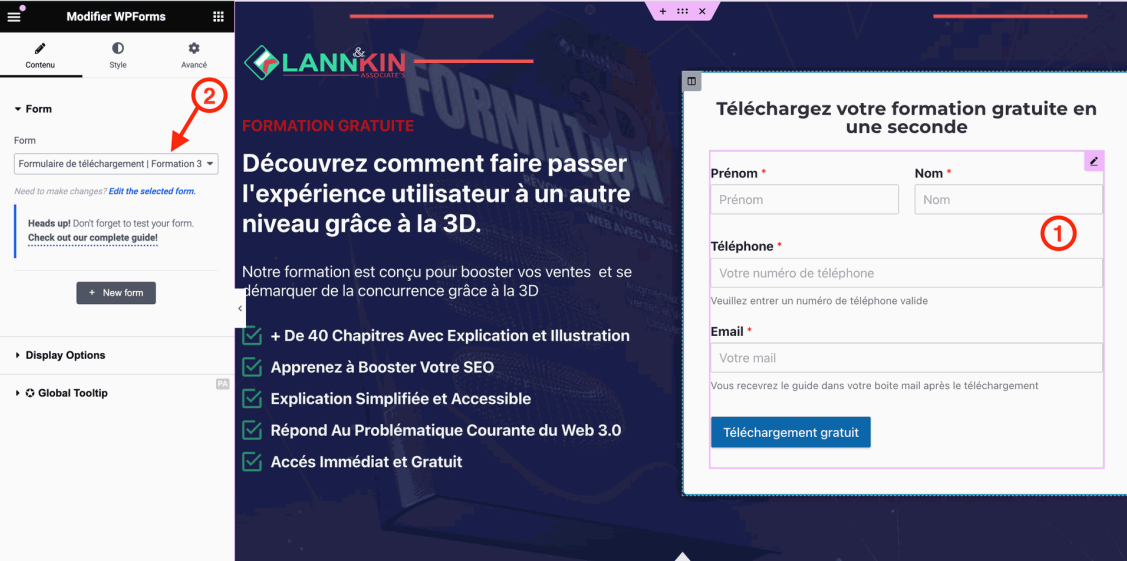
The first step is to set up a WPForms form on your landing page (LP) and connect it to Make.com through a webhook. Here is how:
Step 1: Configure WPForms to send data via webhooks
- Open your WPForms form and edit it.
- Enable the webhook option and paste the URL generated by Make.com to send the data.
Practical tips:
- Check that emails are correctly forwarded to your contact address (for example,
[email protected]). - Make sure the request method is set to POST so the data is sent correctly to Make.com.
Step 2: Configure Make.com
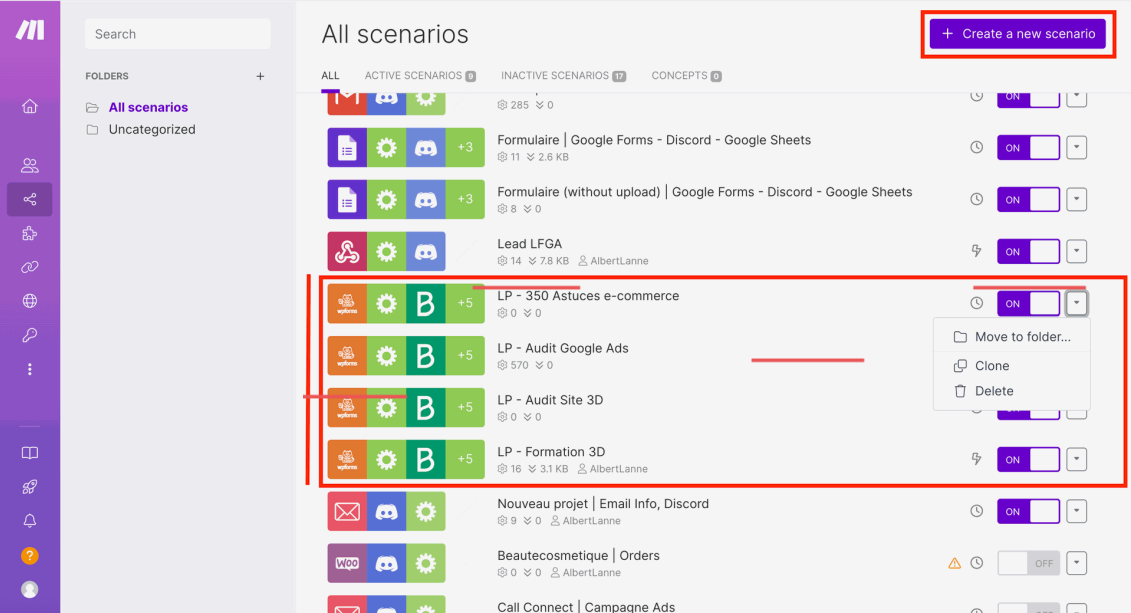
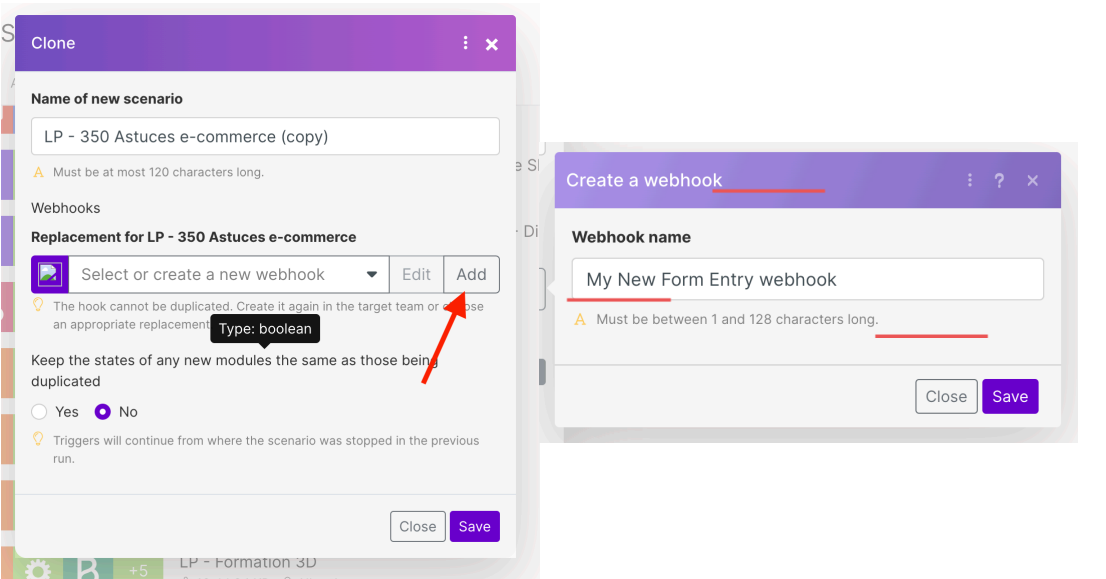
- Create a new scenario or duplicate an existing one on Make.com.
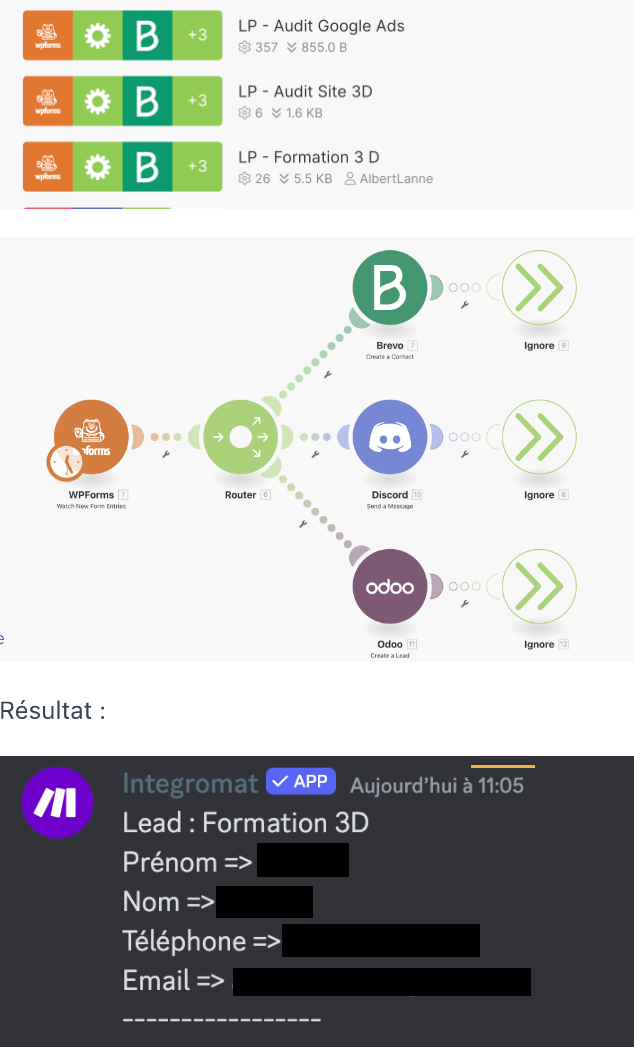
- Add a WPForms module and configure it with the webhook.
- Test the setup by submitting a test form.
This retrieves the data submitted on your landing page and transfers it automatically to Make.com for further processing.
2. Automating lead management with Discord
Once the data is sent through Make.com, you can use Discord to receive real-time notifications. Here is how to set up this integration
Step 1: Create a Discord bot
- Create a Discord bot in the "Bot" section of your Discord server.
- Copy the bot token to use it in Make.com.
Step 2: Configure Make.com with Discord
- Create a scenario on Make.com and add a Webhook module to retrieve the data.
- Add a Discord module to send messages with the lead details to the channel of your choice.
Step 3: Test the integration
Submit a test form and check that the lead details appear correctly in Discord.
This can be especially useful if you manage several channels and need to respond quickly to new prospects, an approach you could strengthen by adding resources such as Facebook Ads expertise on Fiverr to improve the management of your advertising campaigns.
3. Automating with Brevo to optimize lead management
Once leads are collected through Make.com, you can use Brevo to manage contacts and send automated email sequences.
Step 1: Configure Brevo
- Connect Make.com to Brevo by creating a specific segment for your marketing campaign.
- Set up an email sequence that is triggered automatically when new leads are added to this segment.
Practical tips:
- Create several email sequences to engage your prospects at different stages of the customer journey.
- Monitor how well your sequences perform so you can optimize them. For this step, it can help to work with a Shopify and CRM expert on Fiverr to manage your contacts as well as possible.
Key takeaways
Automating advertising campaigns with Odoo, Make.com, Discord and Brevo saves valuable time and helps you manage interactions with your prospects better. By following these steps, you can set up a smooth, efficient solution to capture, qualify and engage your leads.
To take your marketing strategy further, also explore services such as web SEO strategy, which can complement your approach.
Mini FAQ
How do I set up a webhook in WPForms?
You can set up a webhook in WPForms by opening your form editor and pasting the webhook URL generated in Make.com into the form settings.
Why use Make.com to automate lead processing?
Make.com connects several tools together, automating the transfer and processing of data smoothly and quickly.
Is Discord useful for managing leads?
Yes, Discord lets you receive real-time notifications about your new leads, which can help you respond quickly.