
- Google Ads
Google Ads optimization for a towing company in Canada
Length: 14 min 13 sWatch on YouTube ↗
A point-by-point audit of the Google Ads account of a towing company that spent €757 over the last 30 days. This is the method we use at Lannkin to audit a client account.

Key figures
- average impression share
- 15%
- of impressions lost to rank
- 30%
- of impressions lost to budget
- 46%
- Quality Score of the main keyword
- 5 / 10
01
Start with the website and tracking
This is the order I follow for every Google Ads account audit:
Here, the website was not a problem. Tracking was: there were far too many conversions for the budget spent, and the tracking was probably counting some conversions twice.
- The website: contact buttons, WhatsApp, mobile display, quality of the copy.
- Conversion tracking, segmented by action: calls, WhatsApp clicks.
- Impression share and its losses, campaign by campaign.
- The ads, the keywords and their search terms.
- The settings: bidding, networks, location.

02
Impression share: where the lost customers go
The advertiser only appears 15% of the time on average, and in the very first position about one time in ten. It loses 30% of impressions to rank and 46% to budget: the budget needs to go up and the ads need to improve, both at once.
These columns are added via Columns, then Modify columns: search impression share, search lost impression share (rank), search lost impression share (budget), and search absolute top impression share.

Who runs these campaigns
The same hands-on management for your account, by a Google Partner
Google Partner
certified in Search, Display and Performance Max
6 years
running Google Ads accounts
€1,000/month to €6,000/day
the budgets I manage
4.8/ 54.8 out of 5, 66 Google reviews
66 Google reviews · Lannkin, the web agency I founded in Canada
Read the reviews on Google Maps (opens in a new window) Pinned video · @albertdelannkinI worked with Gabriel Dubois, the biggest Google Ads client in Belgium.Watch the video on TikTok (new tab)
03
Sorting through Google's recommendations
The optimization score is low, but not everything is worth taking. Performance Max, audience targeting, suggested keywords: of no interest here. The recommendations on ads and automated assets, however, can be applied.
The ads are rated “Excellent”. Above all, images are missing: you can easily go up to 20.
With the recommendations, you have to sort through them, be careful. Everything that concerns the ads, you can apply.
04
Cleaning up the search terms
The campaign has 25 keywords, which is too many. The main one, “dépannage voiture” (car breakdown service), has a Quality Score of only 5 out of 10. Displaying its search terms reveals a lot of irrelevant queries: carmakers' roadside assistance, flat tires, searches for a cheaper mechanic, competitors' names.
I exclude everything that does not match the landing page. An informational search that could bring in customers deserves its own campaign instead, with a dedicated page that answers the question.
At account level, I also exclude negative keyword lists in bulk, for example:
- work-study, fixed-term contract, permanent contract, internship;
- used, tutorial, comparison site;
- free, cheap;
- names of carmakers, insurers and competitors.
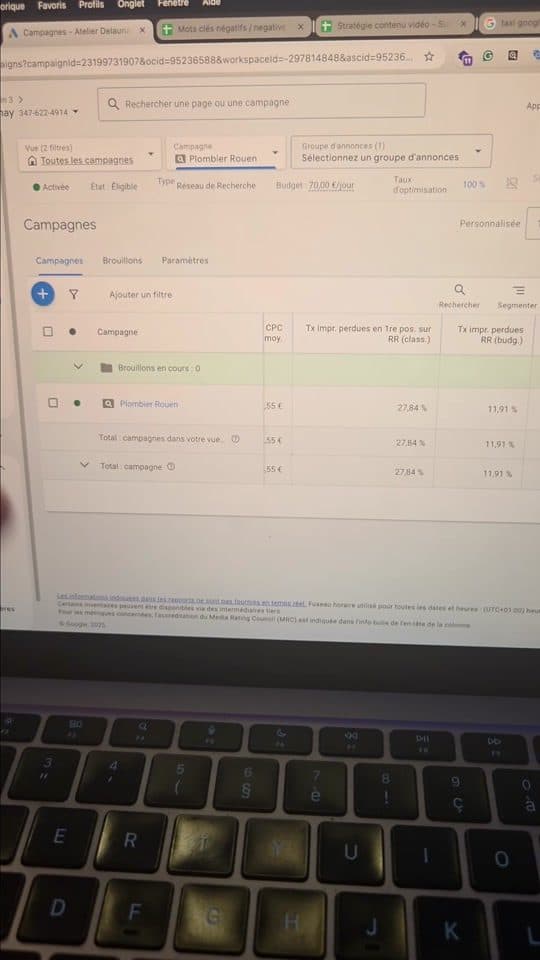
In a short video
Google Ads plombier : les mots-clés négatifs qui changent tout
Le compte Google Ads d'un plombier, ouvert à l'écran. Le secret présenté : une optimisation continue et de longues listes de mots-clés négatifs, qui écartent les recherches d'emploi, d'arnaque, de marques ou de comparatifs.
Watch on TikTok (1 min 10 s) ↗05
Assets and A/B testing
I replace the assets (sitelinks, callouts) that generate few clicks with new variants.
Then I duplicate the ad. On the copy, I add dynamic keyword insertion, I mention the towns served around Annecy in addition to Annecy, and I capitalize the first letter of every word in the headlines for a consistent look. After one to two weeks, I keep the best one.
06
Campaign settings
Three settings to check on any lead generation account:
- A target ROAS is mainly for e-commerce. For leads, switch to Maximize conversions with a target CPA. Here, Google suggested €1: I set it around €2 to give the algorithm some room.
- Turn off the search partner network: you risk falling victim to arbitrage there.
- Location: choose “Presence”, otherwise you will receive requests from outside your area, and deliberately narrow the area, because Google always widens it a little.

In a short video
Clics frauduleux sur Google Ads : les astuces pour s'en protéger
Stratégie d'enchères en maximiser les conversions, suivi du taux de clics incorrects, logs via paramètres d'URL, formulaire de remboursement et plusieurs noms de domaine contre les attaques.
Watch on TikTok (2 min 15 s) ↗On the same topic
Click fraud and CPC, in short videos
Partner networks open the door to arbitrage: here is how to spot those clicks and get them refunded.
- 1:24

Fraudulent clicks on Google Ads: how to recover your budget
@albertdelannkin
TranscriptClose
Transcript
- 2:19

Lowering your CPC in Google Ads: keywords, ad and landing page
@albertdelannkin
TranscriptClose
Transcript
- 1:45

Construction: finding clients on Google Ads rather than Instagram
@albertdelannkin
TranscriptClose
Transcript
Read the full video transcript(Translated from French)
0:00Hi everyone, my name is Albert Lanne and I am one of the co-founders of the Lannkin agency. In this Google Ads video, I am going to show you several tips you can apply to your campaigns in the towing and breakdown business. We will quickly go into the Google Ads account and I will show you the different points I look at in an audit. That is how we would go about auditing a client account at the Lannkin agency. The first thing I do is look at the client's website to make sure it is right, that the contact buttons are there, that it works, that it leads to the right elements. OK, very good. I will also look at the page on mobile. OK, very good. There is content, very good. There is the WhatsApp button. Well, the website is fine, it is not bad. We could also analyze things in more detail afterwards, the copy in particular. Well, from what I can see, the copy is generally pretty good. Now, as for the Google Ads account itself, let's look at the campaigns. So this is a client who offers towing and breakdown services and spends a fair amount of money. He spent around seven hundred and fifty-seven euros over the last thirty days. What I am going to do is look at the conversion data, to check that conversion data is coming through properly.
1:02Here, we can segment to get the conversion actions. The view I have already shows this data, but it is interesting. Here we can see, for example, the number of phone conversions, WhatsApp clicks. Here we can see that the figures are far too high compared with reality. I think there is a tracking problem that is simply duplicating these conversions. It seems very high compared with reality, especially compared with the budget spent. Other interesting data is the impression share. And here we can see that this advertiser only appears fifteen percent of the time on average. That means he appears one time in ten, two times in ten, which is very low, and that he has a lost impression share of thirty percent. So there you go, he loses thirty percent of potential customers because of poor rank. He loses forty-six percent of positions because of a budget problem. So in this case, he would need to increase his budget and improve his ad to win back positions. Those are two campaigns. Then we have other data that is less relevant in this case. To get this data on your Google Ads account, you can click Columns, Modify columns, and from there you can directly select the impression share.
2:03Lost impression share, impression share, let's search directly here. Then select search lost impression share due to rank. There you go, this one, lost due to rank, the loss due to budget, search impression share. And there you go, that is already good. Otherwise, we can go into more detail to really see how many positions we lose in the absolute top position. I will take that one, for example. The difference between top position and absolute top position: top position basically means we are in the top three. Absolute top position means we really come first on Google, first, first, first. So we appear in the very first place on Google one time in ten. So there you go, it is not... it is not great. It is a fairly low figure. So let's look at how we can improve that. First, the optimization score of these two campaigns is a bit low. Looking at the recommendations, we have budget-related data. Very good. Here it suggests creating a Performance Max campaign, audience targeting. Well, OK, that is not very interesting. Then there are things about ads, enabling automated assets. OK, we can do that, it works well. Keywords and targeting, OK, no, that is not interesting either.
3:07So with the recommendations, you have to sort through them, be careful. Everything that concerns the ads, you can apply. Next, what I am going to do is look at the ads. Are they rated excellent? Here, it is rated excellent. Well, that is already not bad at all. That is already a good point. If your ad is rated average or poor, you can easily improve it to make it excellent. To do so, you just need to follow this information. You really need to fill in each of these points. You really need to add fifteen relevant headlines, four descriptions. You also need to add photos. I really recommend adding as many photos as possible. Super important. Here, for example, it is not great. We could easily go up to twenty photos. There you go, here you really need to add the maximum every time to get as many clicks as possible, to let Google test its assets as well as possible. So there is room to do better on the photos. Then we have the keywords. Here, for example, in this campaign, we can see there are quite a lot of keywords. There are twenty-five keywords, which is not something I would recommend. Especially since you have to be careful here, there can be things that are a bit off topic. For example, car towing, very good, towing, that looks generally fine. Something else we can do, for the keywords you target, is check the Quality Score.
4:11Here, for example, the Quality Score is five out of ten, which is not great. You should try to get as close to ten as possible. That gives your keywords a better rank and you clearly pay less for your ads. So here we can really do some work to improve this Quality Score, which is very low. I am going to show you a technique to do that. What we are going to do is select the keyword in question and display the search terms. And here we will see exactly which search terms we show up for with this keyword. We filter. So let's try the keyword “dépannage voiture” (car breakdown service). We show up on all of this. Accès Auto Assistance, OK. Jeep assistance, flat tire repair, OK. Accès Assistance, cheaper mechanic, Citroën assistance, OK. Well, there you go, here we realize that a lot of these keywords are off topic. That is quite simply why we pay more for the keyword and have a lower Quality Score. So what I strongly recommend is to exclude everything that is not relevant, to really optimize everything around the keyword “dépannage voiture”. So even tow truck, I could put tow truck, you never know. Even tow truck, actually, I am not sure it is a good keyword. I am going to search for the keyword tow truck. Well, there you go.
5:12Then Wikipedia shows up here. There are ads, OK. There are Google My Business listings. Here it is more information about equipment and gear, which falls under SEO. I am still going to exclude this keyword, because there is a good chance of getting rather informational queries. Jeep assistance, my car won't show, OK. Towing. This one here, for example, is an informational keyword that can indeed bring us customers, at a fairly low cost. This is a keyword we found thanks to broad match on Google, which loosens the keyword selection a bit and so lets you show up on more or less broad variations. It is quite different from what we know, but it is still interesting. What I am going to do is note this keyword and create a dedicated campaign for this kind of very informational keyword, and make a dedicated landing page where I answer all these questions while encouraging people to contact me. That will improve the quality of this keyword and make it more relevant. Because here we are really targeting the keyword “dépannage voiture”, which leads to a landing page dedicated to that keyword. So all the content of the landing page has really been worked around that keyword.
6:14That is why I am going to exclude this keyword, because my page is not suited to it. It would be interesting to make a page suited to this keyword alone. So tow truck operator, OK, car breakdown Geneva, long-distance towing, how much does a tow truck cost? Citroën too, I will exclude. Everything about flat tires could be interesting, but those are small services. And often people do it themselves, so it is not necessarily interesting. Inner tube, filter, OK. Dacia assistance. I also exclude competitors, because these are people looking for a competitor, so they already know that company, and there is no point showing up on that keyword. Here, for example, you can see that I have selected these keywords and I can add them as negative keywords. That will improve this keyword's Quality Score, because it will be even more aligned with the ad and the landing page. So it is really important to do this and to keep excluding the negative keywords you are not interested in as you go. You can also add negative keyword lists, in particular in the account or campaign settings. I often add keywords that really do not interest me directly at account level, here. Here, for example, in negative keywords, you can exclude keywords in bulk. For example, in this case, all kinds of dealerships, Mercedes and so on.
7:17For example, in this example, we can exclude all the manufacturers like Mercedes. There is also something I made and make available on my Discord. It is a document like this one with all the keywords that are not very interesting, which you can get from the Discord that I will link to. You can go to Discord, there is a channel, a shareable link, and you can download this Excel file to add it directly to your campaigns. If we look at the keywords, we have everything like work-study, fixed-term contract, permanent contract, internship, difference, used, tutorial, opinion, comparison site. Quite a lot of off-topic things. I also worked by theme. Here, for example, I listed all the insurers. We can exclude all of that directly on the account. I am going to show you how. I am going to select all the keywords I do not want. Either you work from Excel files like this one, or you look in your account for the search terms you actually show up for, and then you can exclude them as you go. For example, I excluded this for the example. And that is already a lot of keywords I have excluded at account level, which I will no longer show up for. It is really important to exclude everything like free, cheap, used, or even competitors' names.
8:20Next, as for the campaigns, it could have been interesting to run campaigns on Google Maps. There is a campaign called GMB, but it is not a Google Maps campaign. I am going to try to dig a bit deeper here. We can click on the campaign. And another important thing is the assets. It is important to work on your campaign's assets to win clicks. Assets really improve the click-through rate of your ads. Here, for example, very good, I have different services. OK. Here I do have four towing services on their own. Of course, very good. Here we have external links. OK. We have callouts. There is quite a lot of information here. We have the phone number too. We have images. Here we can see the images at account or campaign level. Here we can see that this one is at account level and this one is at campaign level. These are things that really help... Now, what we can do with these extensions to try to improve them. We can look at the CTR here, and we can replace anything that generates few clicks. Here, for example, all of this barely works. Here, OK, it works pretty well.
9:22The idea is to replace the extensions that generate fewer clicks, because their headlines are less interesting. So create more of them and test more variations. Same for your campaigns, it is something I recommend. This is a bit more elaborate, but we can click View details. And here we will have all the headlines and descriptions. What will happen is that Google will not necessarily give us quality information on these headlines and descriptions, especially if you run a responsive search campaign. You will get this information on Performance Max. And I can understand that you might not want to run a Performance Max campaign, because you will be serving ads on lots of different types of networks. Another very interesting technique for optimizing ads is A/B testing. I am going to show you how, it is fairly simple. Here I can edit, copy and paste. I select the same campaign and ad group, very good. And then I paste, even though there is a copy. That way, the ad gets duplicated. And now what I am going to do is try to improve this second ad to get an excellent quality rating. And after a week or two, I will see which one worked best, which one serves best, which one has the best data in terms of clicks and CTR.
10:27Here I do have my new ad, the copy. I am going to click Edit. And now I am going to update all the headlines and descriptions to see what works better. For example, here, I am going to use dynamic keyword insertion. By opening a curly bracket like this one, I can click on Keyword insertion. And here, for example, I will put my default keyword back. So when a user types a keyword I target, it will appear right here and replace it. That can be interesting for improving the click-through rate. We can do the same with cities. Here, for example, car breakdown Annecy: first, it is not capitalized, which does not look very professional. Even the formatting, I notice, is not very well structured. By default, we will put the city of Annecy, but in reality, these clients go to other nearby towns. We will show the names of these two other towns. So that is not bad. Another best practice for headlines and descriptions on Google: I really recommend writing the text in title case. So basically, we capitalize the start of each word.
11:29Since this is my second ad, for later, I will not do it on camera, but basically, I am going to write all these headlines trying to highlight the Annecy side more, the proximity side. For example, tow truck near you, tow truck based in Annecy, on two things, to test the two ad variations and see which one generates more clicks. In the meantime, here we can still... What I recommend for your ads is really to capitalize the first letters like this. Then it will display like this: Your Trusted Tow Truck. Here, it is odd, there is a mix of the two. So above all, do this. It is more a matter of best practice and making things a bit more consistent, a bit more professional. Because it is something people do not necessarily pay attention to, and you sometimes end up with a mix, which is not great. For the descriptions, I will leave everything in lower case, and I will also be able to test other visuals to see the difference. Now I am going to save. OK. That is done, OK. Another important thing to check is in the campaigns, in the campaign settings. Here it is important to look at all the settings. And if a ROAS is set, that is not necessarily relevant, because ROAS is the return on...
12:34ROAS is not necessarily relevant, because it is more for e-commerce. In this case, we will rather work on conversions with a CPA. I am going to set a slightly higher CPA to push the campaigns' delivery a bit, because the real CPA is not one euro. The real CPA is much higher. Basically, to keep it simple, for lead gen, I strongly recommend using Maximize conversions, conversions here, and setting a CPA. To set the CPA, you need to have some data in your account and have the conversion tags in place. But here, for example, I can see which CPA it suggests. It suggests a CPA of one euro because I have a cost per lead of one euro. The cost per lead varies from one day to the next. So I will rather set it around two euros, for example, to give the algorithm a bit more room. Otherwise, it can penalize me in the delivery of my ads. Another thing I am going to look at is the networks. You need to turn this off, because otherwise you risk showing up on secondary networks. You can fall victim to arbitrage or things like that. So be careful about this, do not turn it on. It can really hurt you.
13:36So I strongly recommend removing it. Next, for the location, here you really need to click Presence, otherwise you will get leads from outside the area. It is really important. And for the service area, I strongly recommend deliberately choosing a slightly smaller area, because in any case Google's targeting will widen it a bit. So there you go, that is something important to do. There you go, that is all for this short Google Ads account audit video. If you would like more videos like this, feel free to contact me and I will be happy to help you. Also feel free to join the community Discord if you have questions, or contact us through the agency's website. Thank you, see you very soon.
In Canada, I work with Lannkin, the agency I founded there: the best web agency in Canada.
The same work for you
Services related to this video
For your trade